Upgrade packages
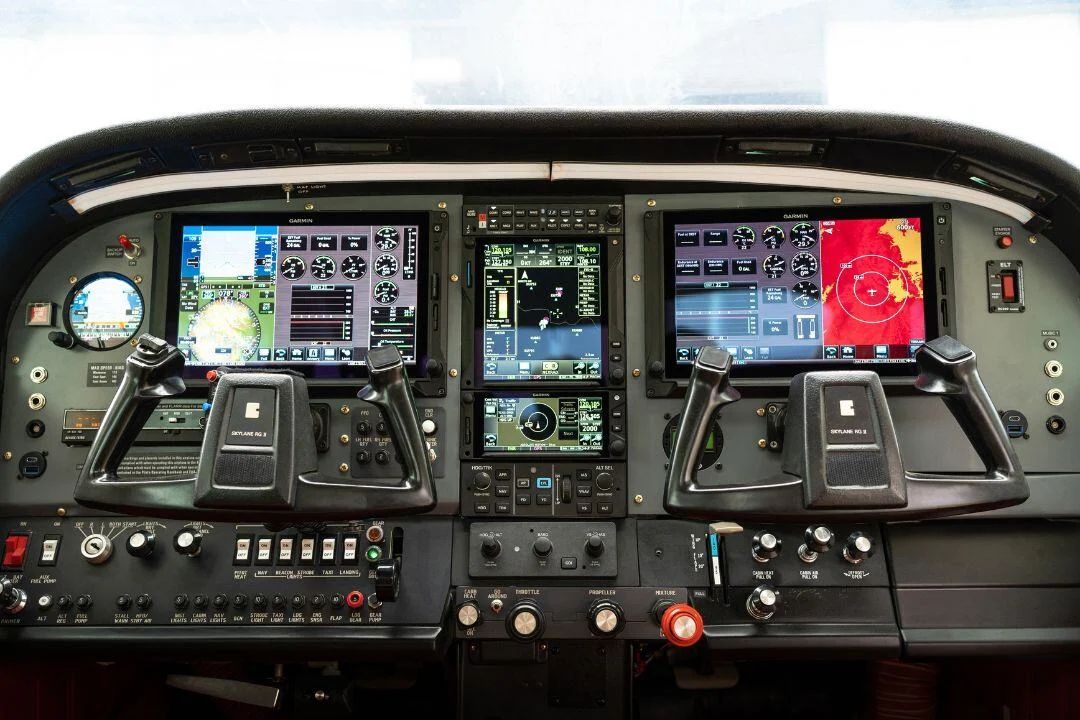
Apply a standard package, such as dual G5s with a GTN 650Xi, straight onto the customer's six-pack and radio stack.
How Bezelswap takes a phone photo of an instrument panel to a true-scale layout, a quote and a work order, and the tools a shop uses along the way.
The same sequence every time, so anyone at the counter can run it while the owner is still in the shop.
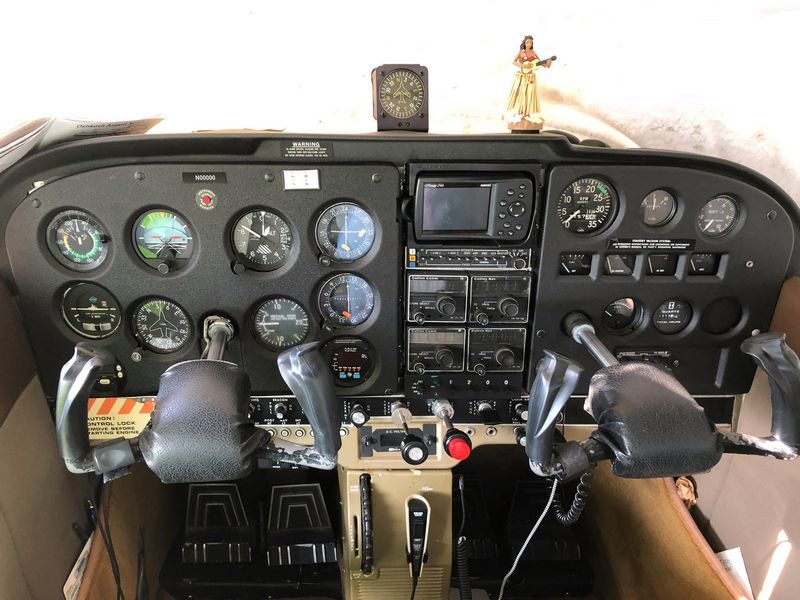
Select the aircraft and add a straight-on photo of the panel. The aircraft sets which units show as eligible.
Drag the four corners to the edge of the panel plate. A magnifier shows each corner as you place it.
Measure across a 3 1/8 in instrument hole or the 6.25 in radio stack, or enter the plate width.
Mark the gauges and radios in the panel today and choose what comes out. Removed holes get blank-off plates.
Drop new units onto the real panel. Round units snap to marked holes and radios stack in a 6.25 in column.
Present the before-and-after and the quote, then hand the work order and parts list to the hangar.
Each capability is a separate module in the product, so the list grows with what shops ask for during the beta.
Apply a standard package, such as dual G5s with a GTN 650Xi, straight onto the customer's six-pack and radio stack.
Plan the engine monitor alongside the flight instruments: J.P. Instruments EDM-900 and EDM-930, Electronics International CGR-30P and CGR-30C, and the Garmin GI 275 in engine mode.
Select an existing gauge or opening and the catalog narrows to the units that physically fit it.
Units are tagged by STC coverage for the selected aircraft, so one that can't go in that airplane is flagged before you quote it.
Mark the control column shafts and structure behind the panel. Units that hit them, or crowd a neighbor or the plate edge, are flagged.
Inch grid, tape measure, zoom, 1/16 in nudging from the keyboard, full undo, and lens correction for wide-angle phone photos.
Add anything missing from the catalog with its bezel size and mount type. It is marked as shop-entered everywhere it appears.
Up to four layouts per customer, each with its own quote, compared side by side.
Set unit prices, labor hours by unit type and your shop rate once. Every new panel starts from them.
Upload your logo or generate one, and every quote and presentation goes out on your letterhead.
Each customer's panel saves itself as you work. Find it by owner, tail number or aircraft, duplicate it, or download a copy.
The flattened photo can be read automatically to mark the existing instruments and estimate scale. You confirm every mark.
Bezelswap is shaped by real estimates, work orders and counter conversations. Every shop account starts with a 30-day trial, and billing stays in test mode during the beta, so no card is needed.